Export Instagram Followers & Following
Follow these simple steps inside your Meta Accounts Center on your mobile device or browser to safely request your connections report in JSON format.
Open Instagram
Active StepOpen Instagram and go to your profile tab.
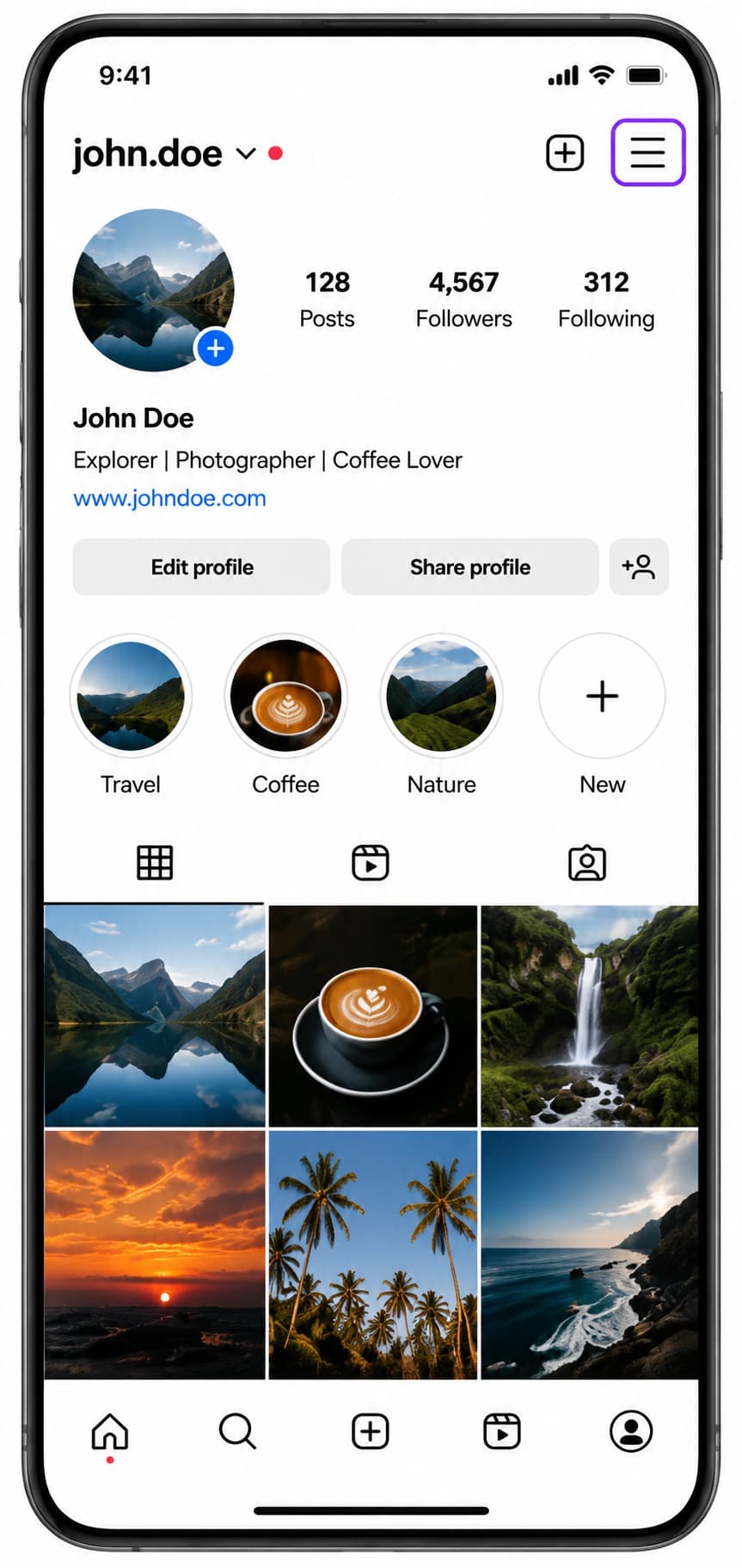
Go to Settings & activity
Tap the three-line hamburger menu icon in the top corner of your profile to open Settings and activity.
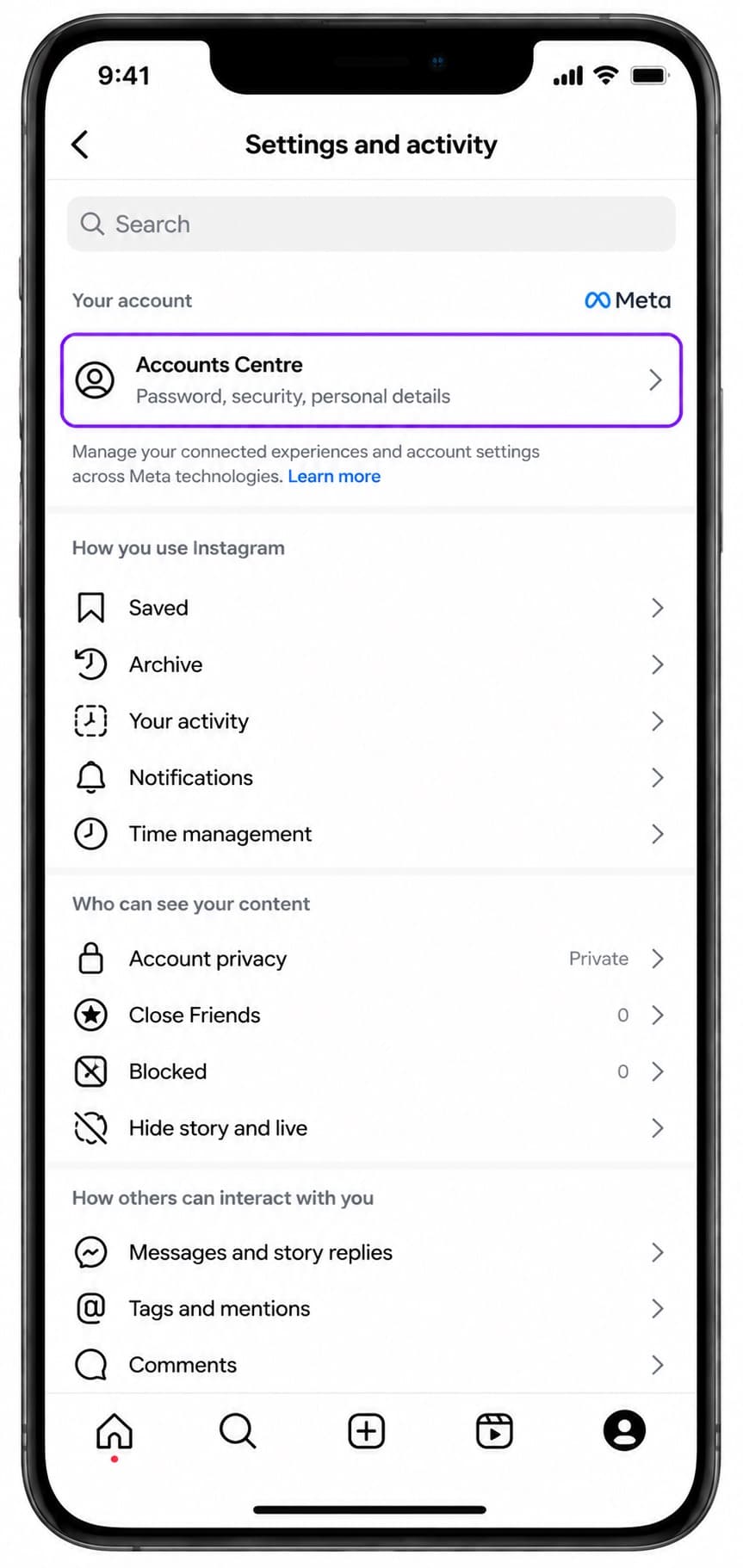
Go to Accounts Centre
Tap 'Accounts Centre' at the very top of the Settings and activity menu.
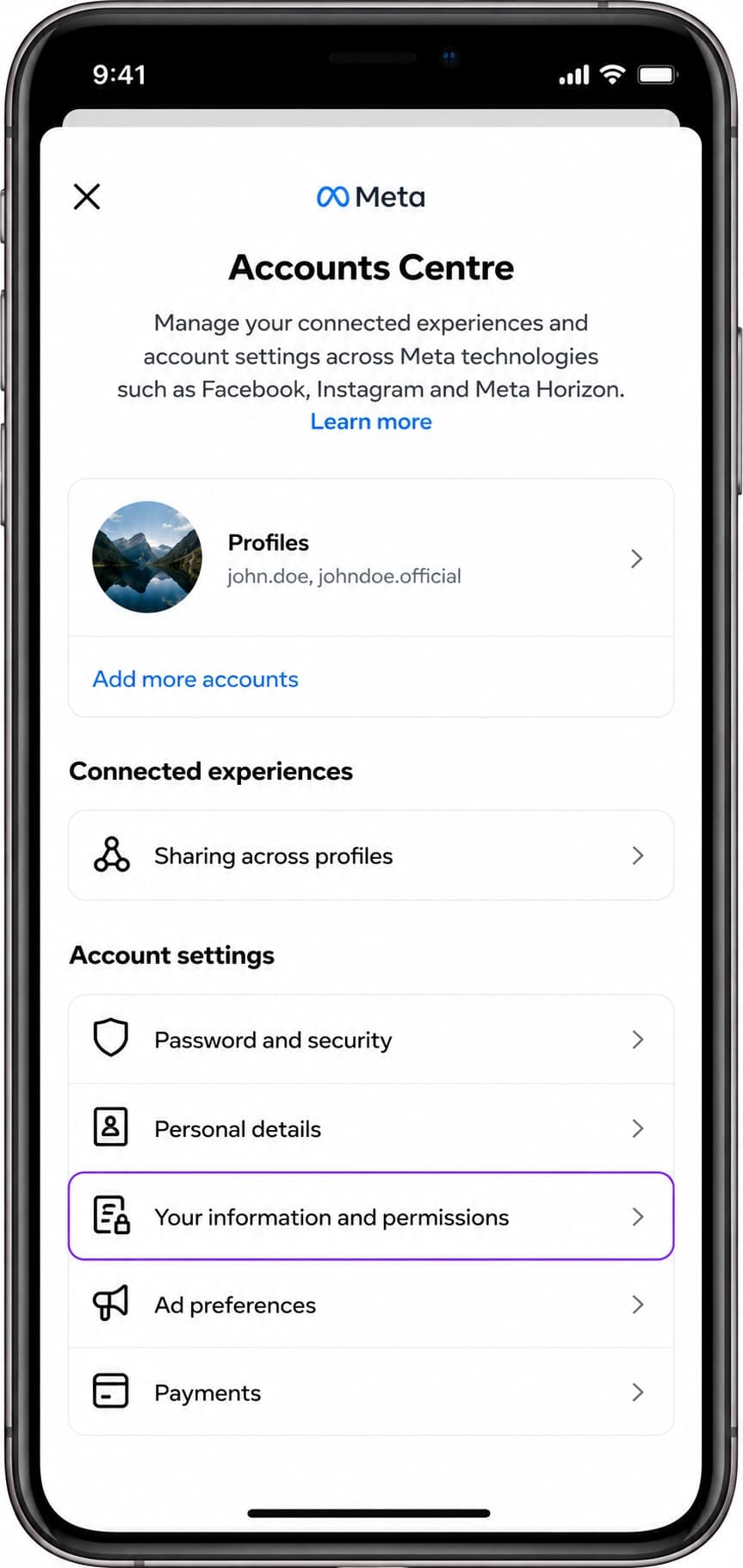
Your information & permissions
Tap on 'Your information and permissions' in the Account settings list.
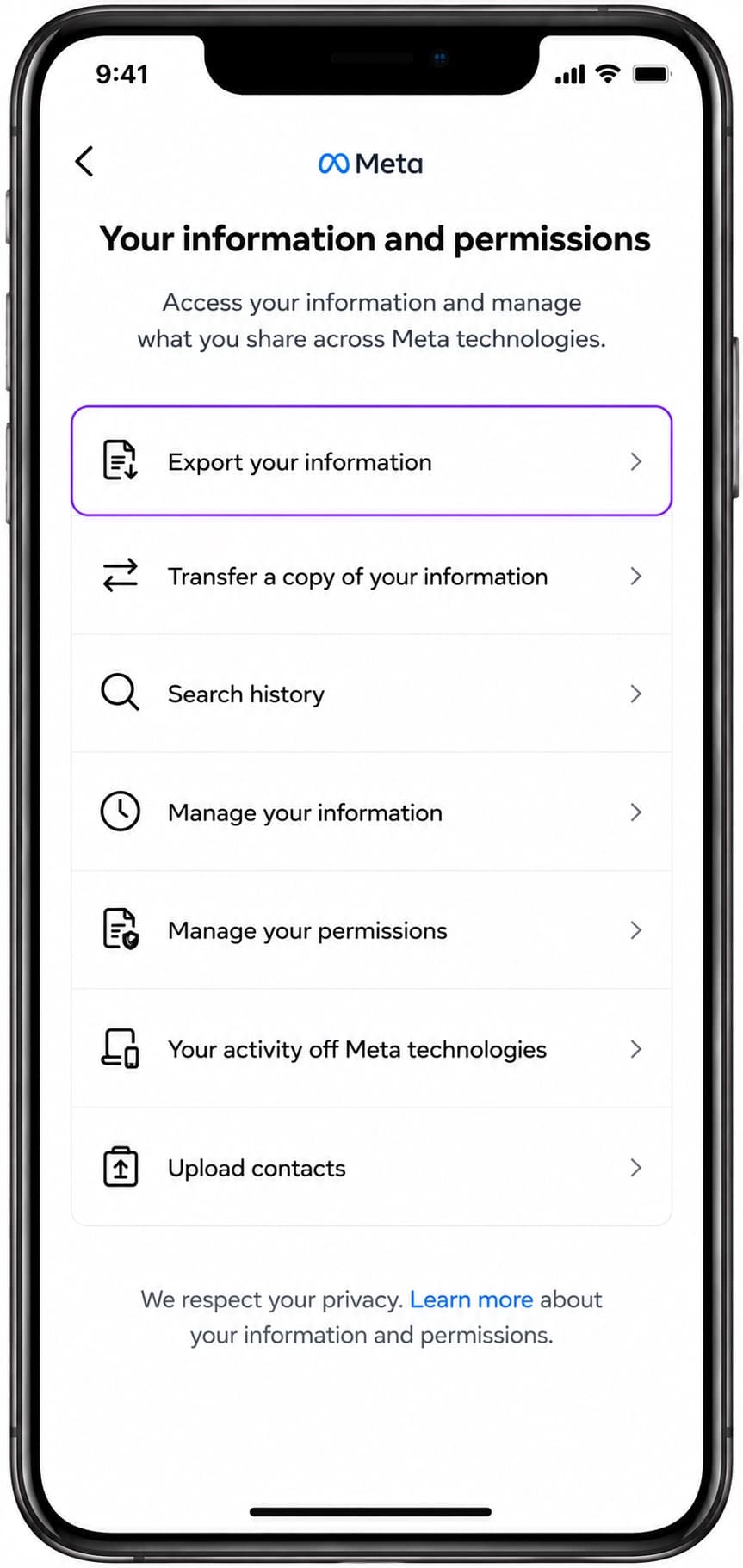
Export your information
Tap on 'Export your information' and wait for the page to load.
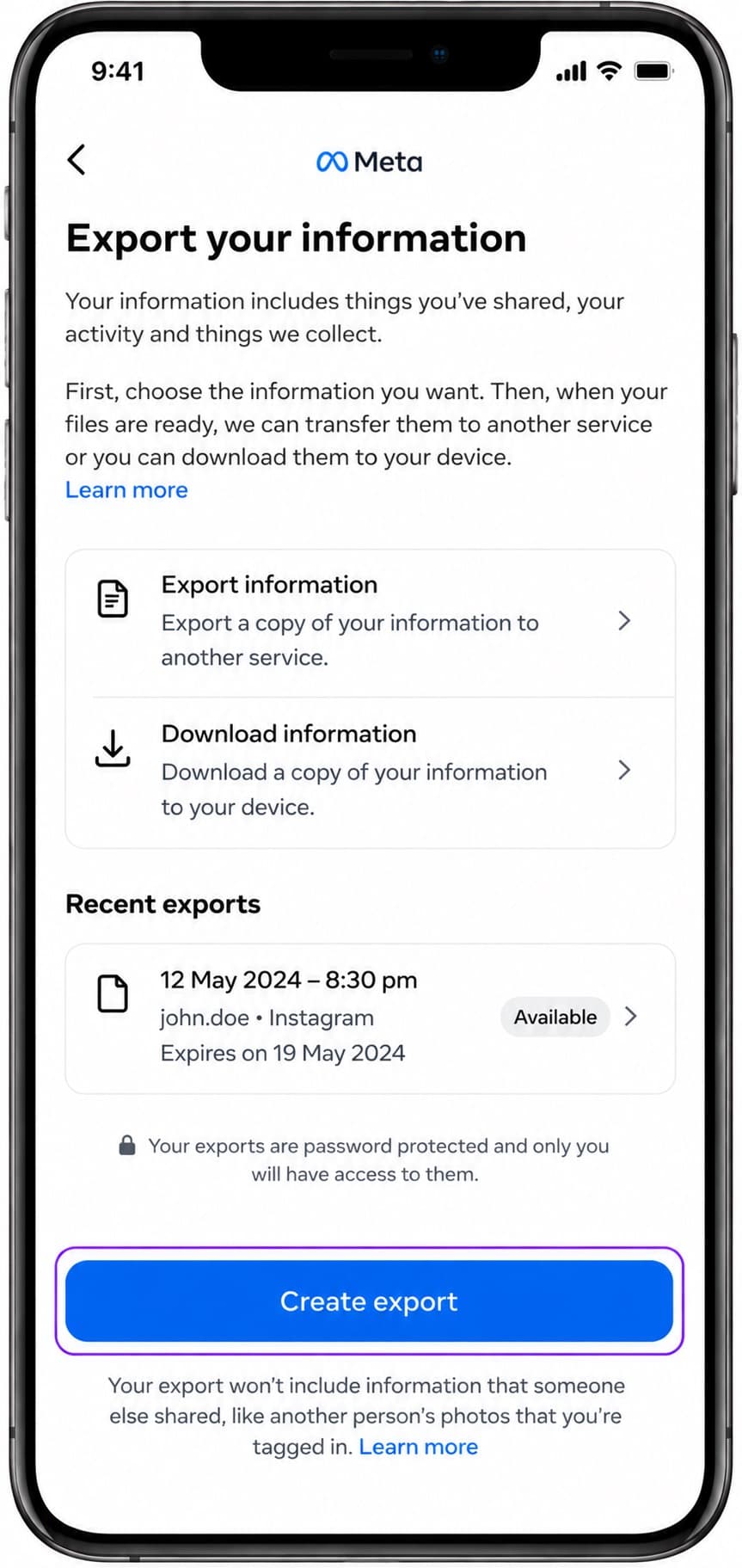
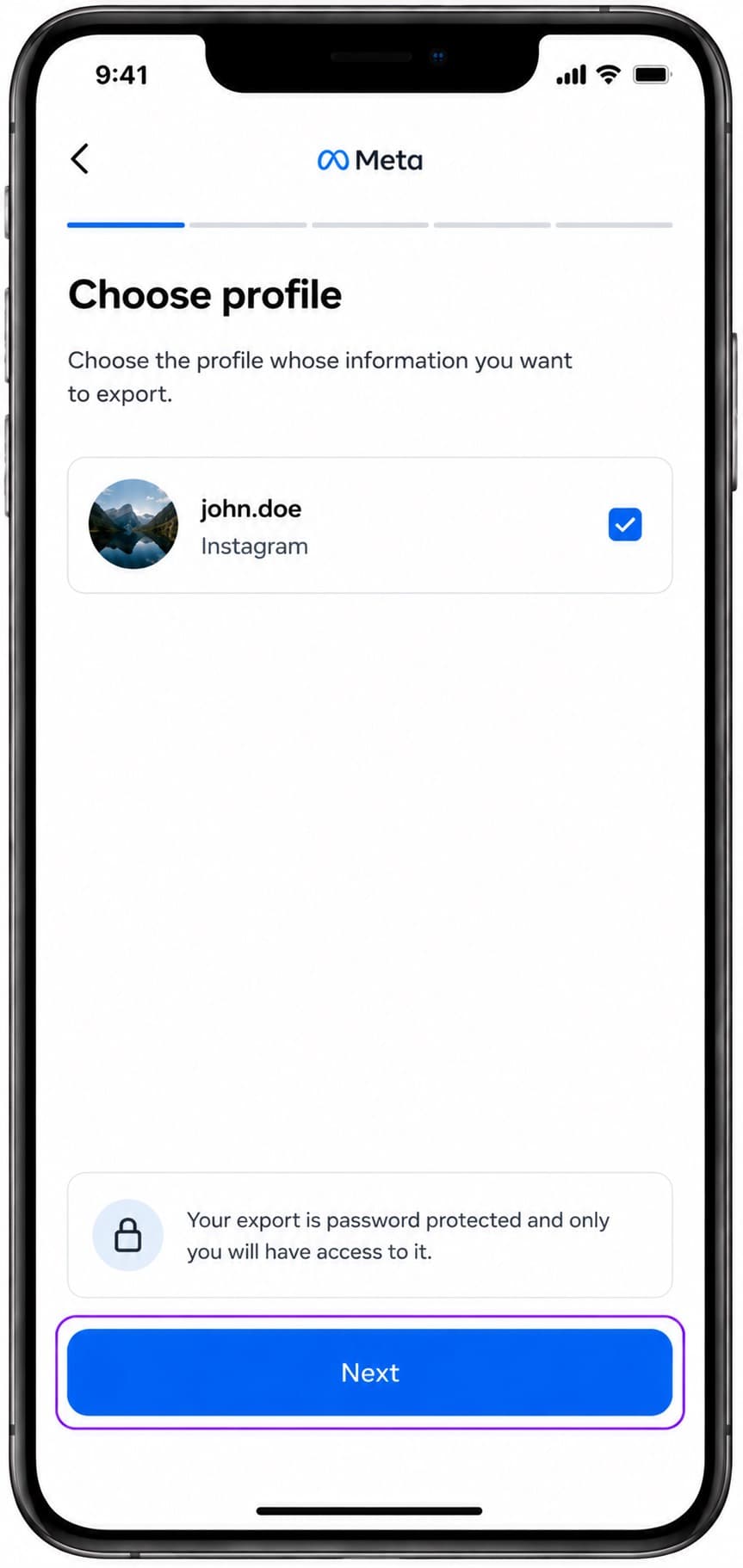
Select your profile
Select the Instagram profile from which you want to export your data.
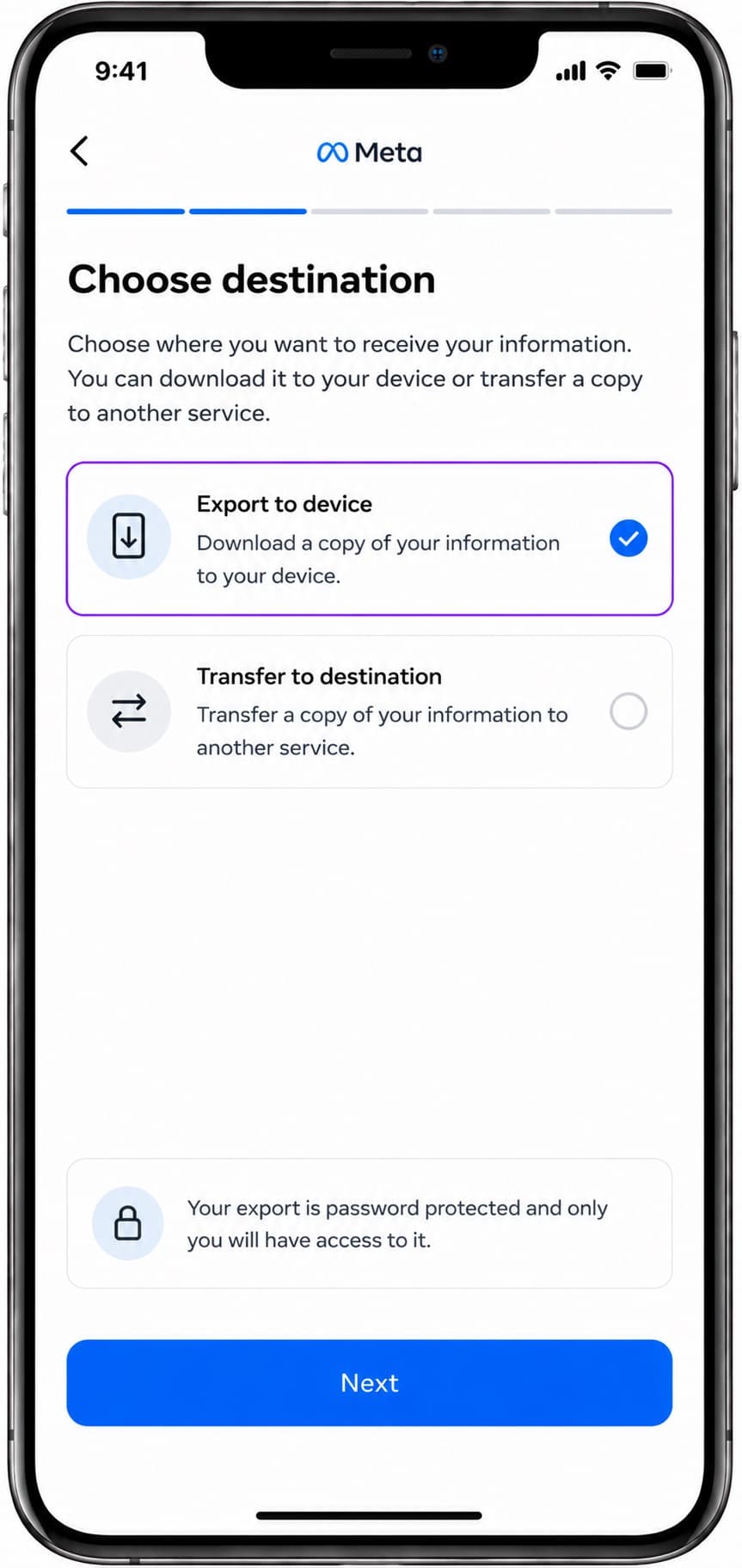
Select export destination
Choose 'Export to device' (recommended) to download the files locally.
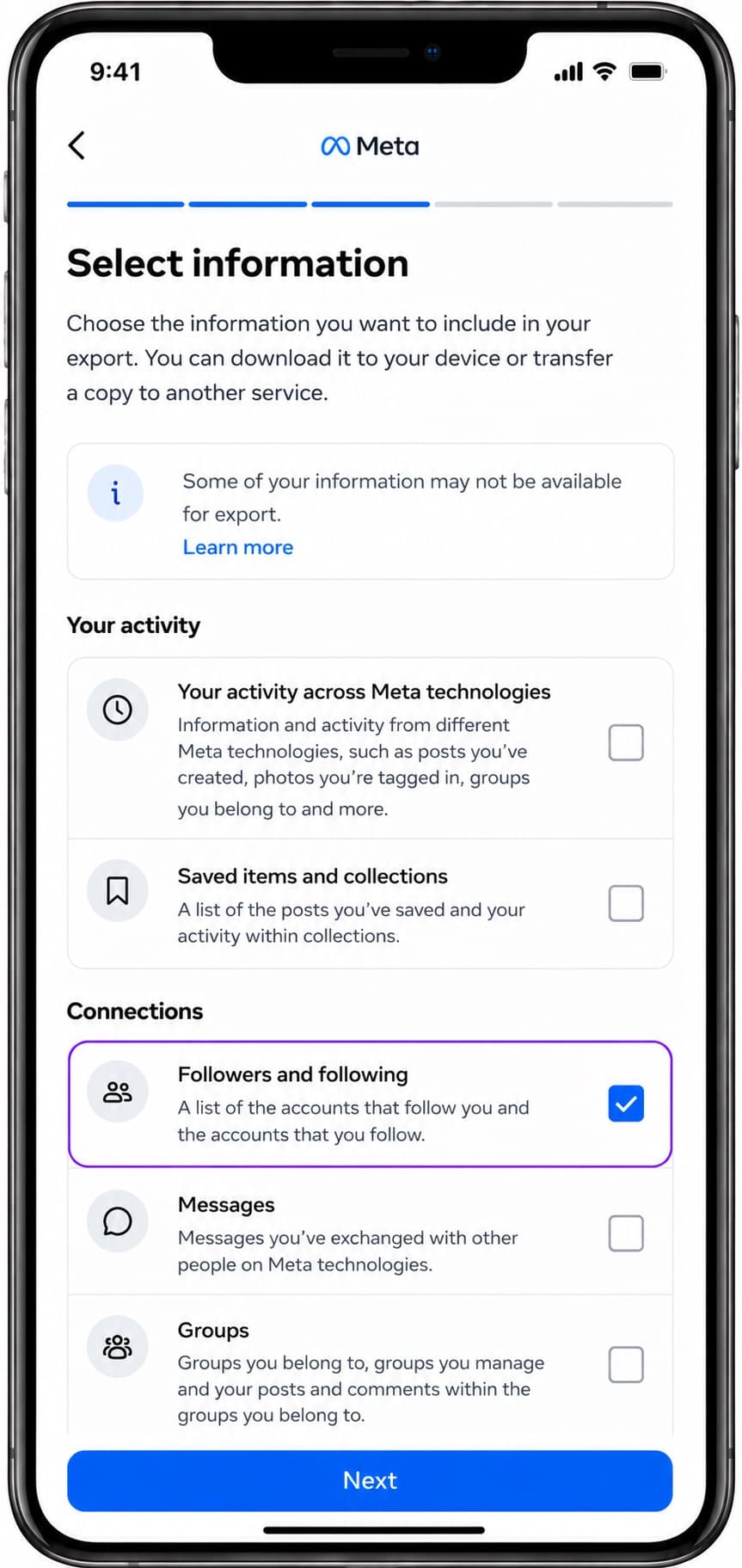
Select specific information
Under Confirm details, tap 'Customize information', choose 'Select specific info to export', and check 'Connections -> Followers and following'. Save the selection.
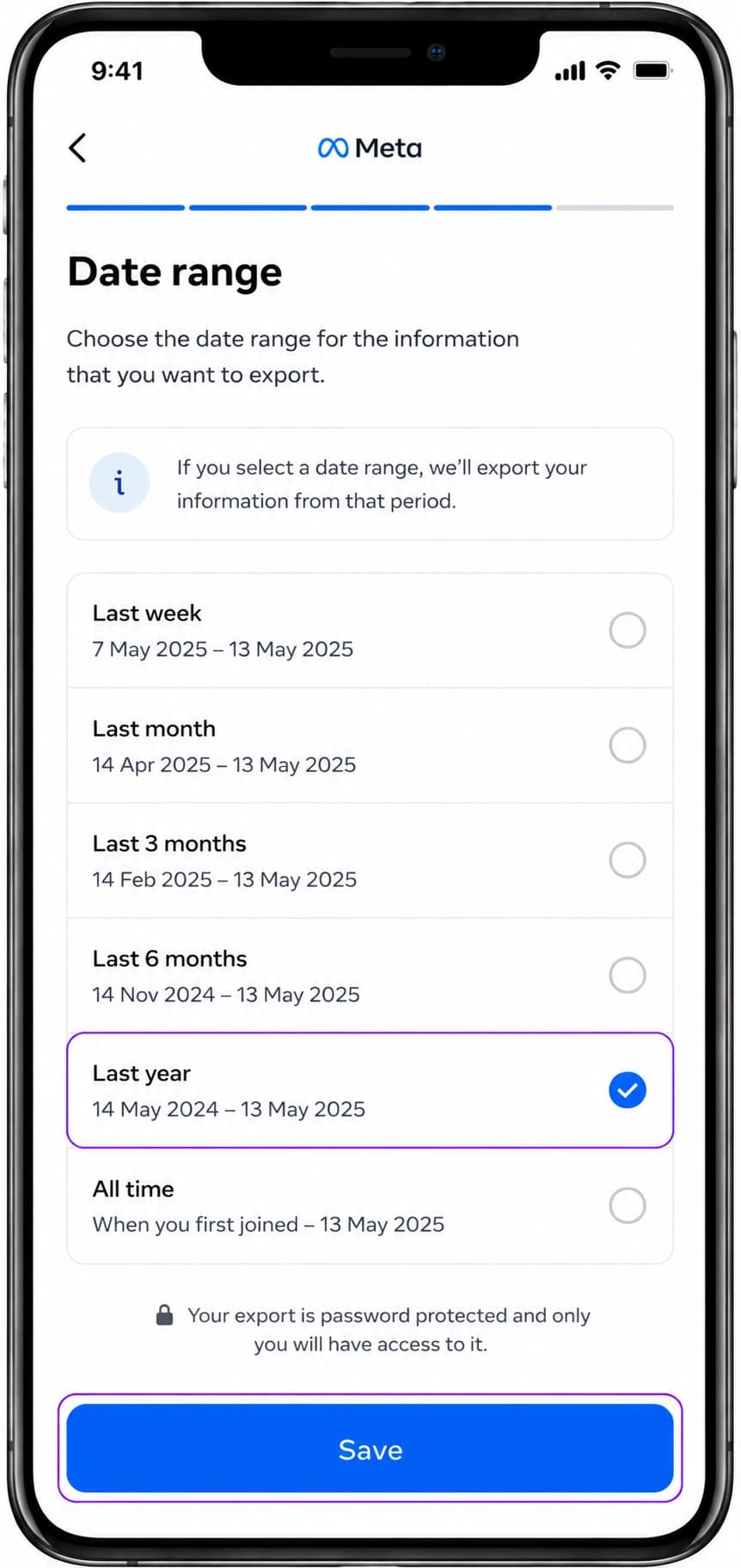
Choose date range
Select 'Date range', pick 'Last year' or 'All time', and click Save.
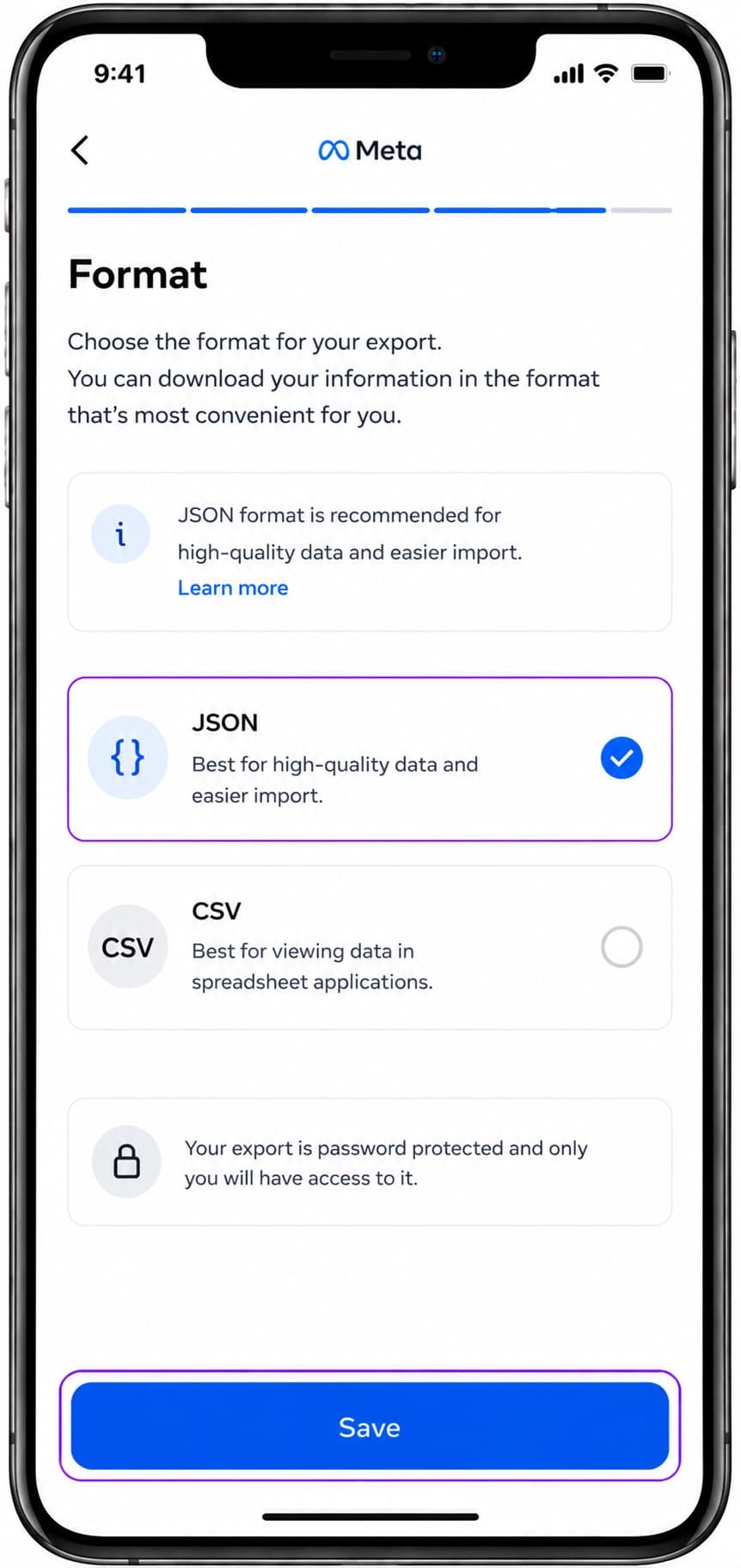
Choose JSON format
Tap on 'Format', select 'JSON' (crucial for syncing with FollowPerks), and click Save.
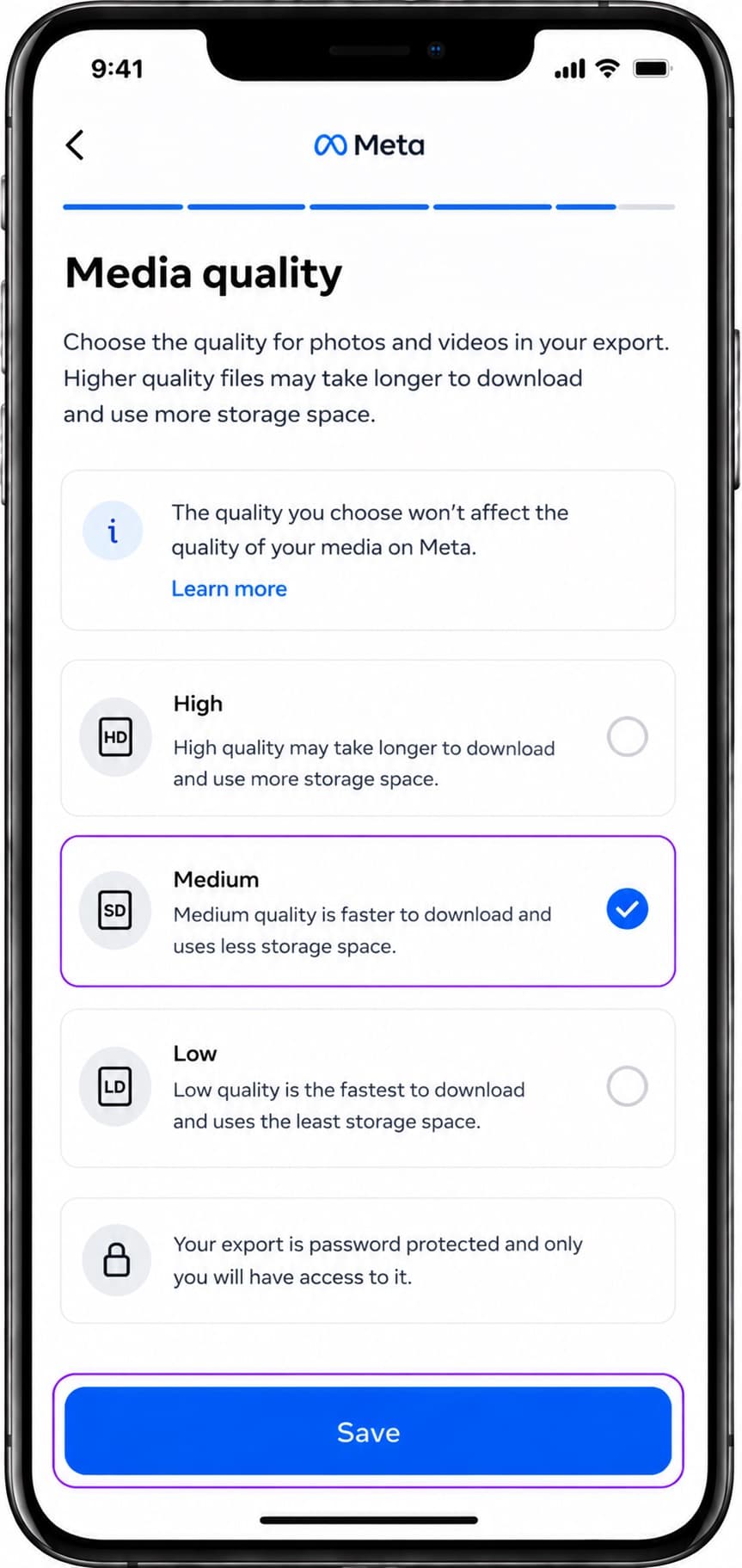
Set media quality
Tap on 'Media quality', choose 'Medium' or 'Low' to keep the export fast and light, then click Save.
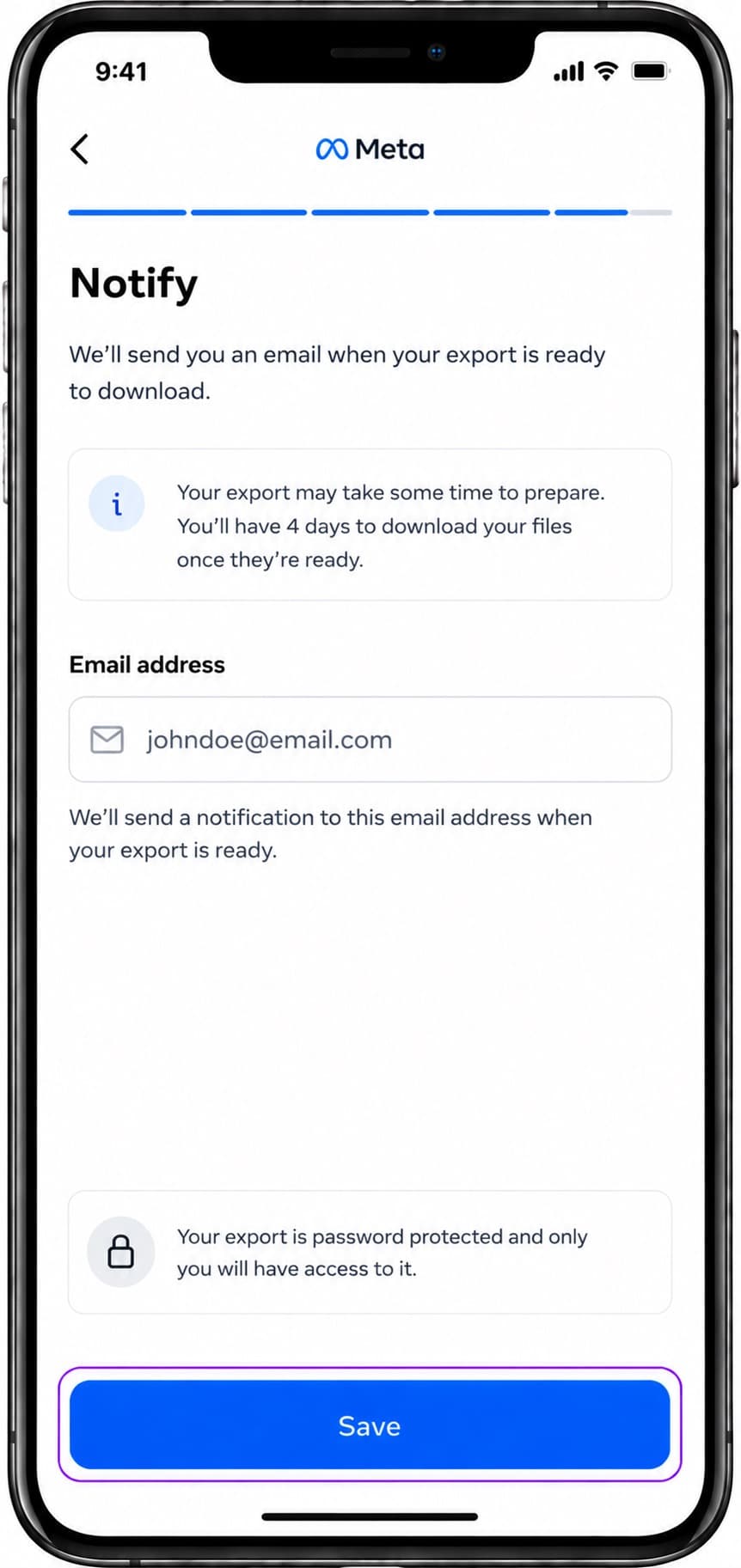
Enter email notifications
Tap on 'Notify', enter your active email address where Meta will notify you when download is ready, and click Save.
Submit and verify password
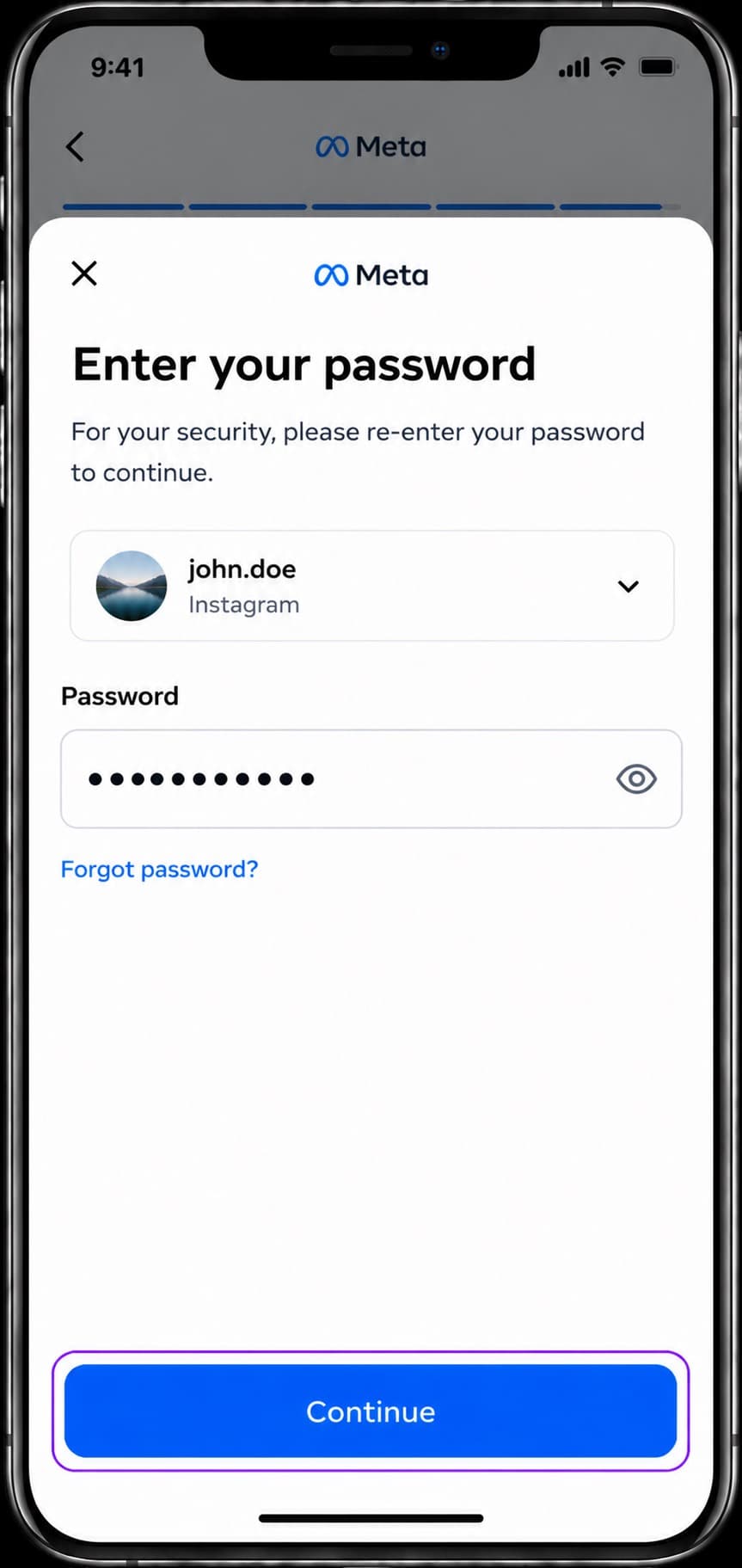
Click 'Create export'. If prompted for security, enter your Instagram password and click Continue.
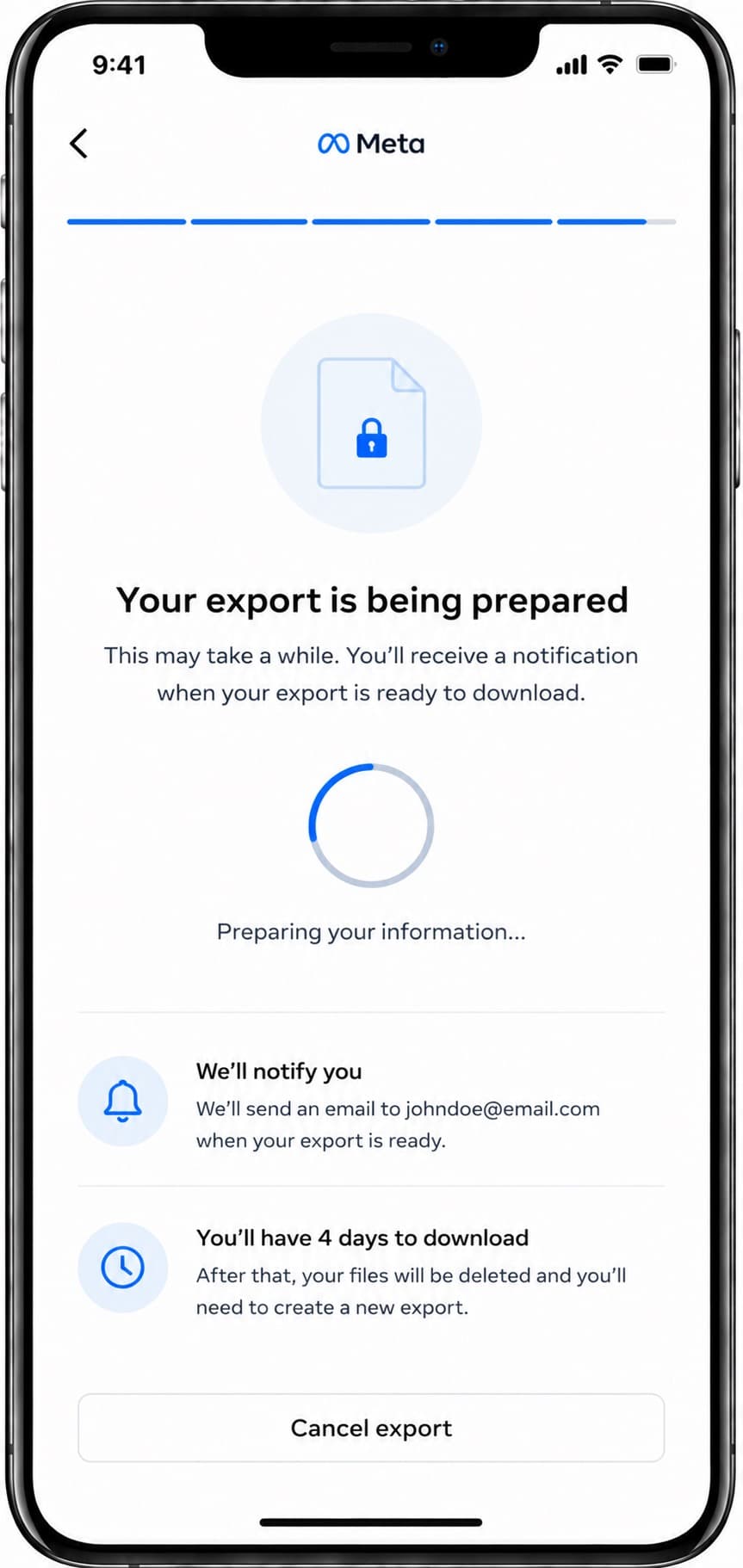
Wait for preparation
You will see a confirmation saying your information is being prepared. It usually takes 10 to 30 minutes.
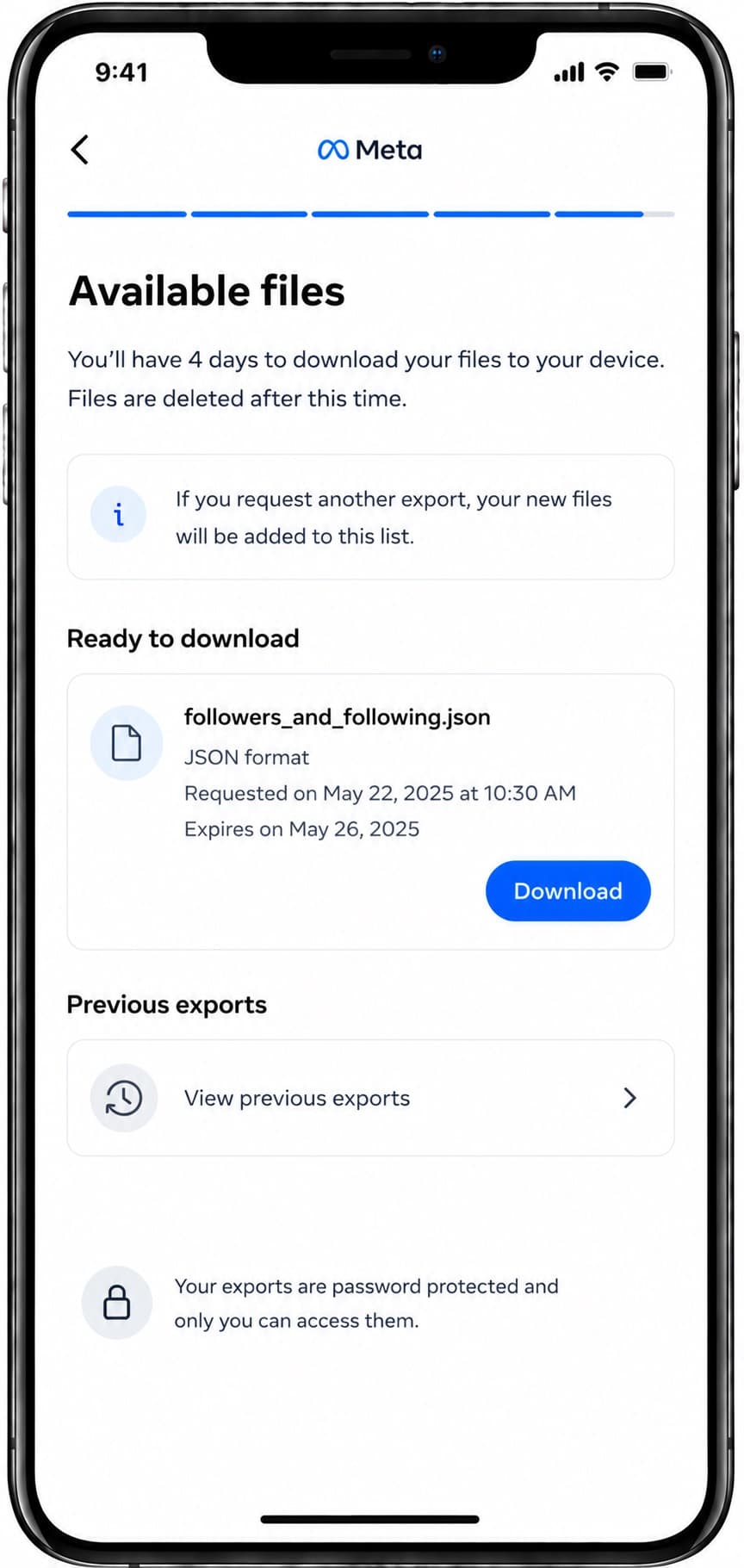
Download and extract
Once ready, visit 'Available files' in the Accounts Center. Click 'Download', extract the ZIP file, and locate the followers and following JSON files.
Safety and Compliance Check
FollowPerks only imports standard followers and following lists generated through official Meta tools. We will never ask for your account password or prompt you to run automated scripts, extensions, or bots.
Frequently Asked Questions
Common questions about exporting Instagram connection data
Yes, this uses Meta's official Download Your Information process, ensuring your account is secure.
No. FollowPerks will never ask for your Instagram password or login credentials. The export is handled entirely by you on Meta's official site.
No. Third-party scraping tools violate Instagram's Terms of Service and can put your account at risk of suspension. Always use Meta's official tool.
For standard accounts, it takes about 10 to 15 minutes. Larger accounts may take up to an hour.
You must choose the JSON format. HTML format cannot be processed or synced by FollowPerks.