Export Facebook Followers & Following
Use the official Meta Accounts Center inside Facebook settings to request your connection details. Follow this guide mapping each setting to verify details match before submitting your export request.
Open Facebook Settings
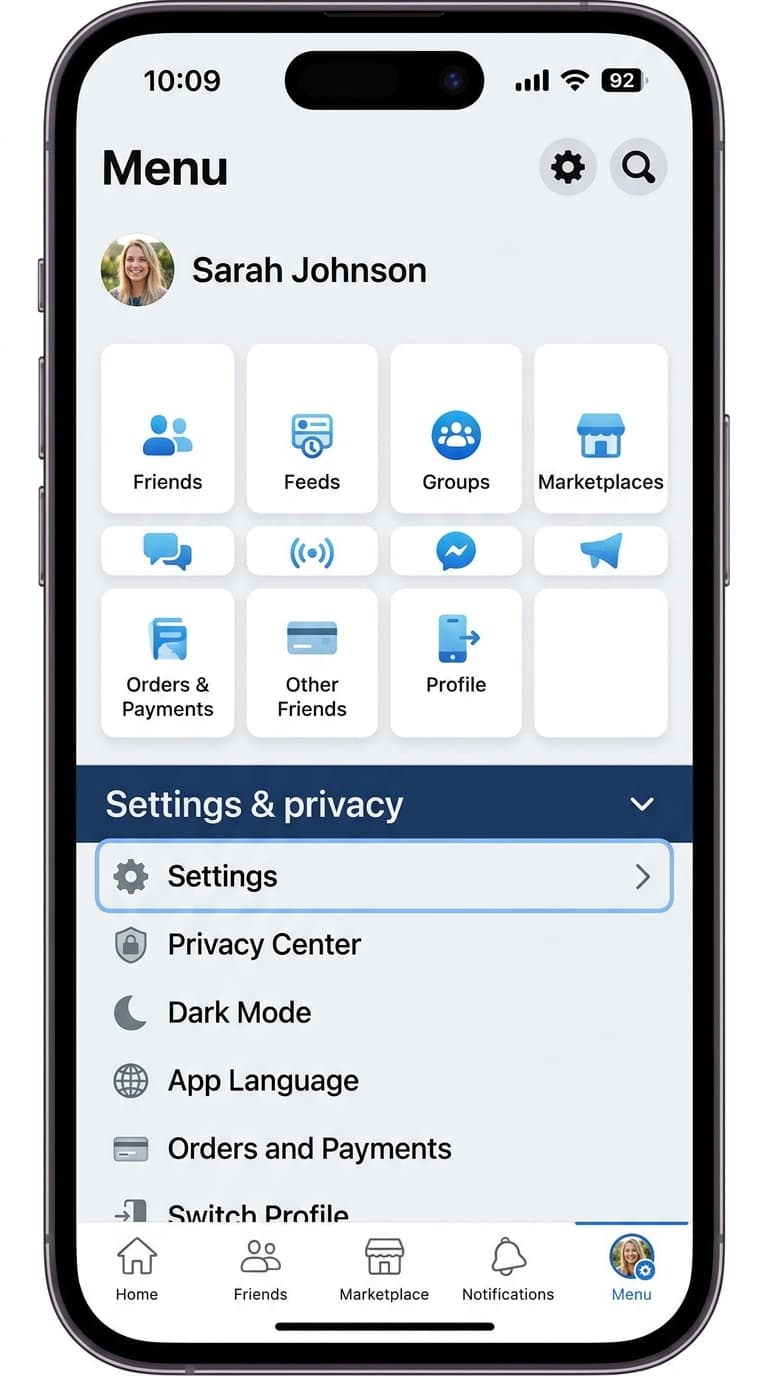
Active StepOpen the Facebook app, tap your menu icon (profile picture in the top/bottom corner), and select Settings & privacy -> Settings.
Open Accounts Center
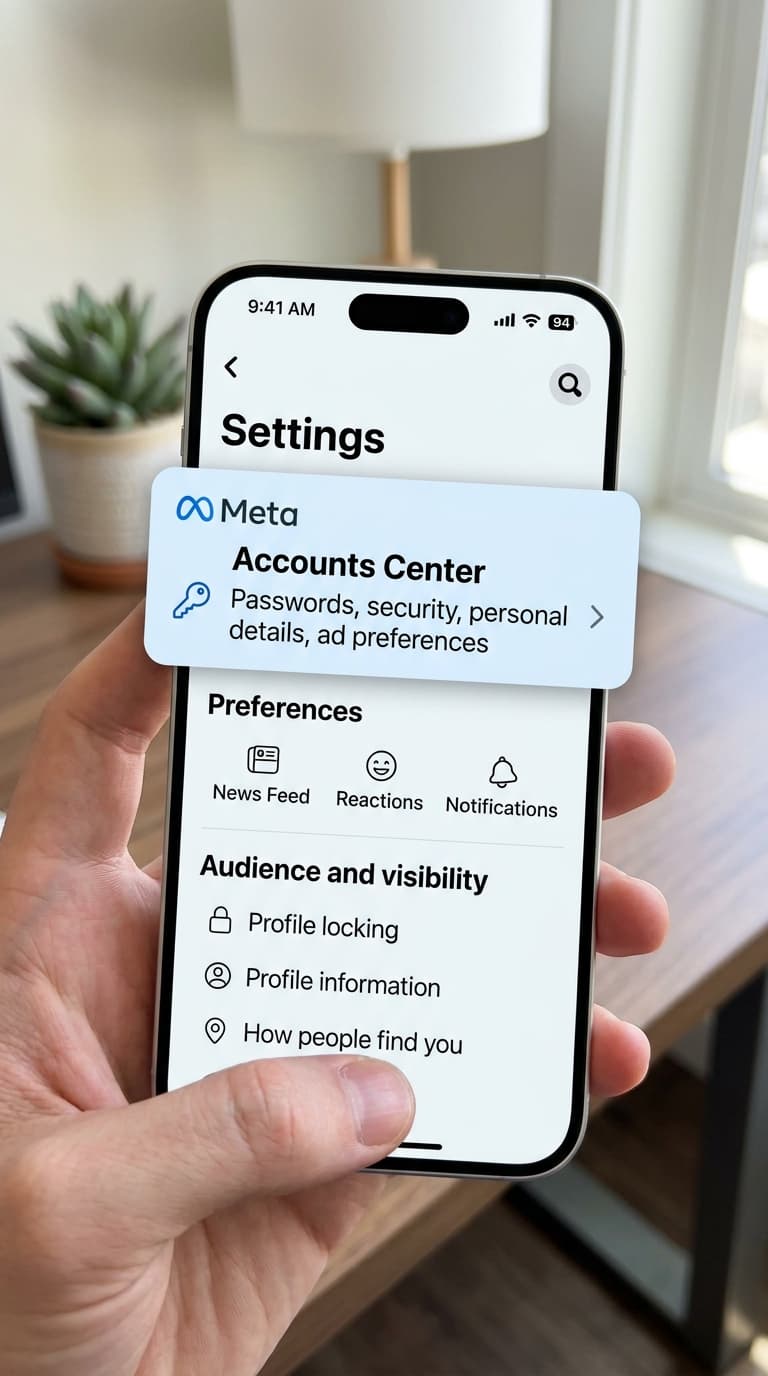
At the top of the Settings screen, tap the 'Meta Accounts Center' card.
Your information & permissions
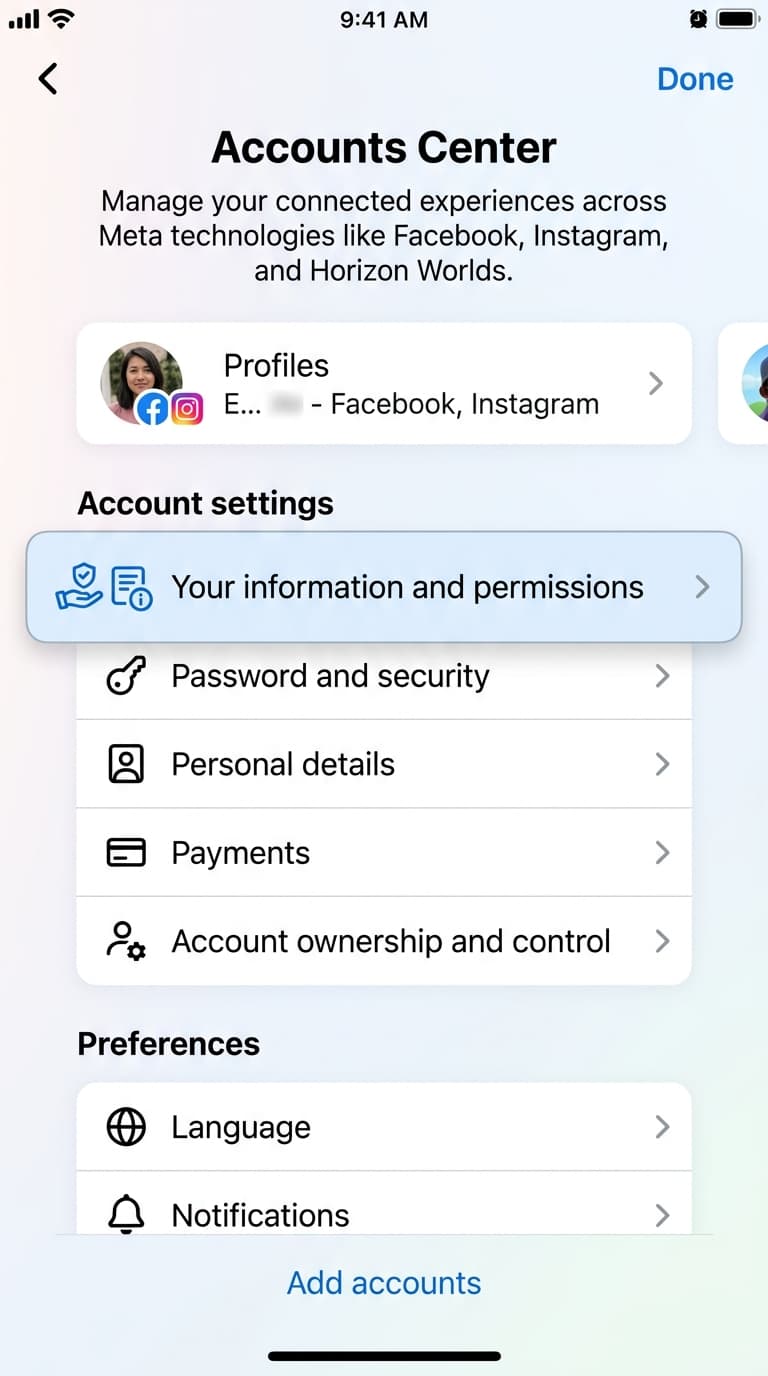
Navigate to the 'Your information and permissions' section under Account settings.
Export your information
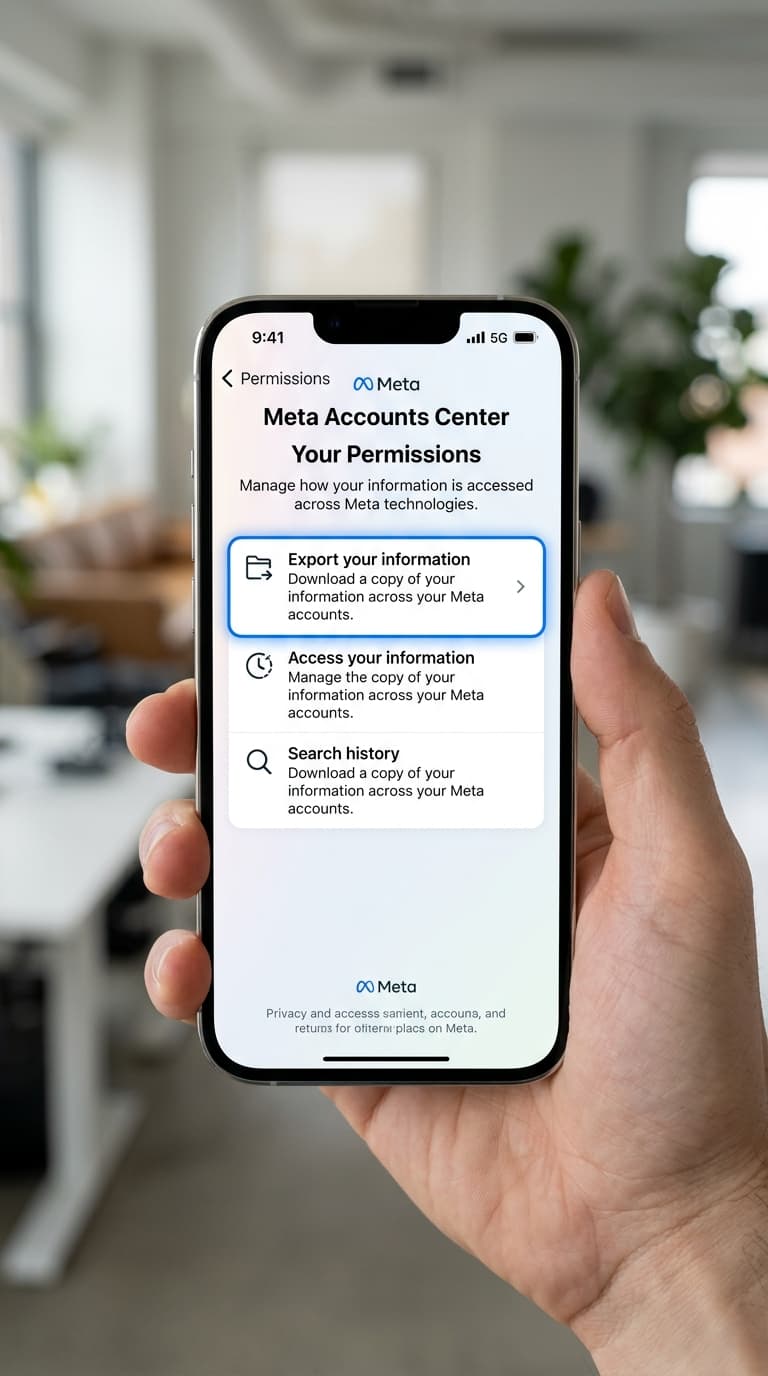
Select 'Export your information' from the list of options.
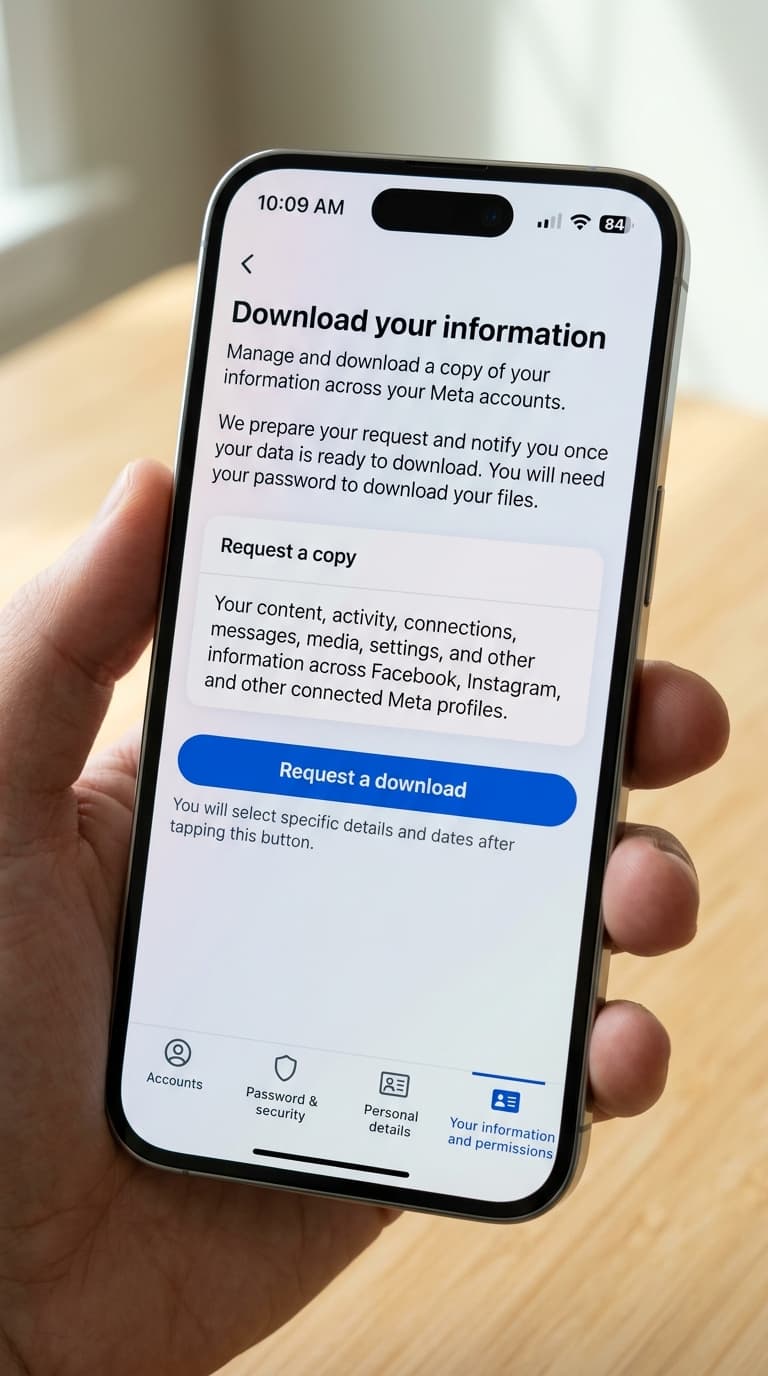
Request download / Export to device
Click the blue 'Create export' button, then select 'Export to device' on the following screen.
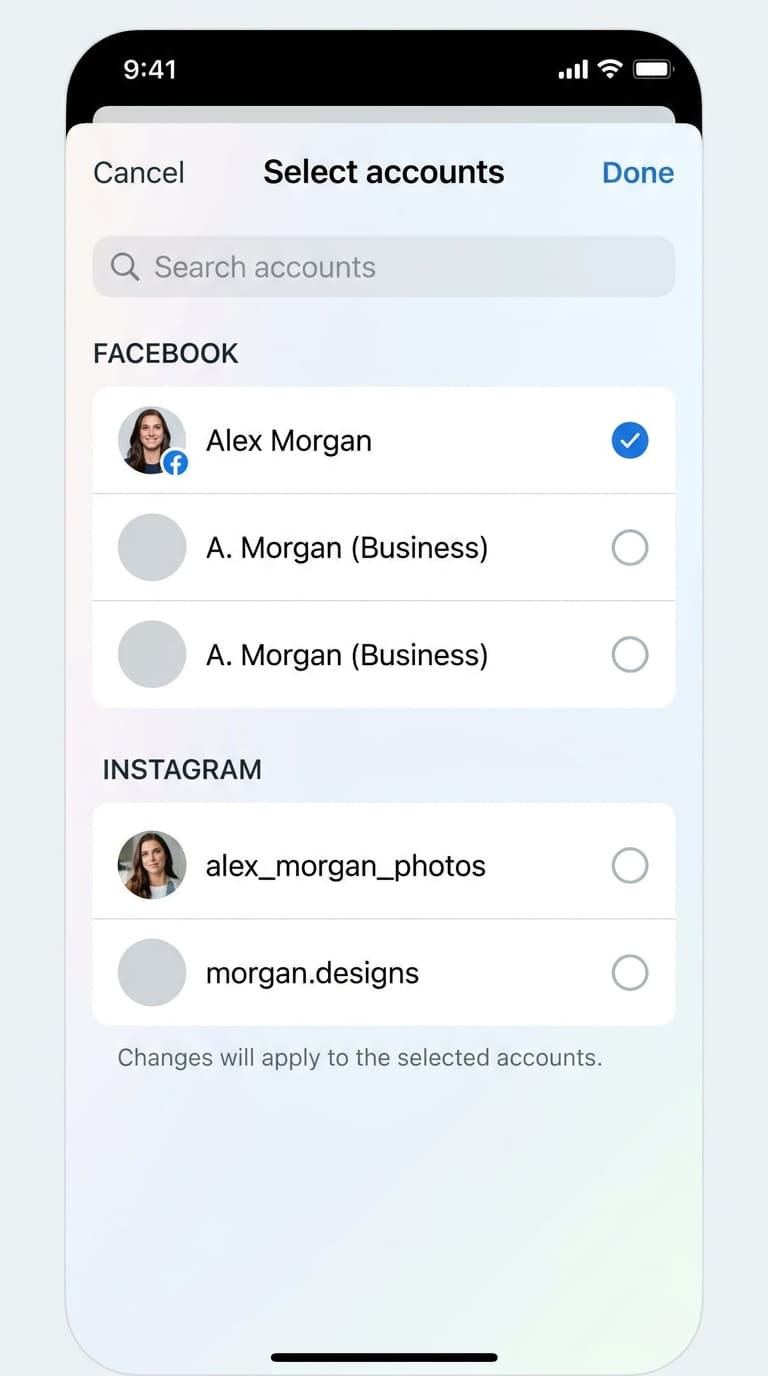
Select your Facebook profile
Tap your Facebook profile from the list of available profiles.
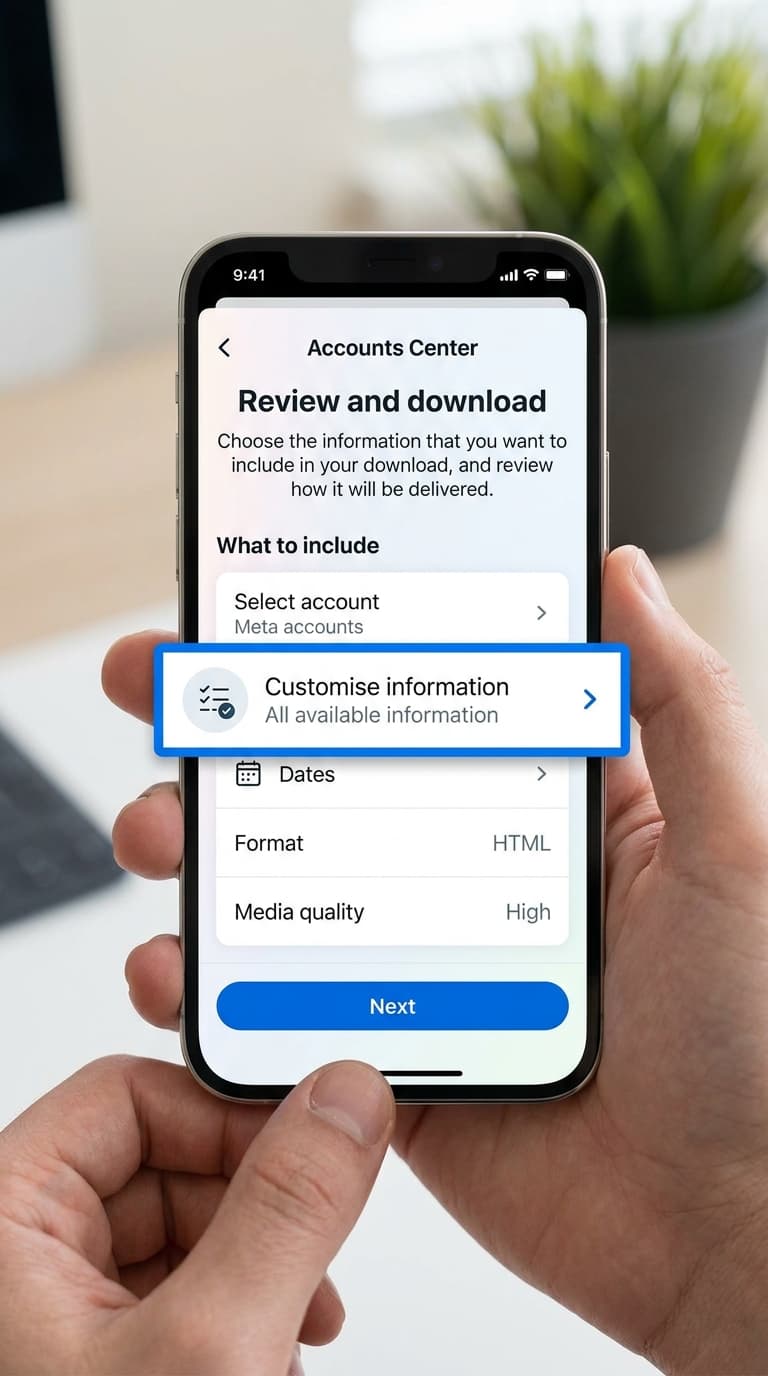
Tap Customise information
On the file configuration screen, tap the 'Customise information' row to select what to export.
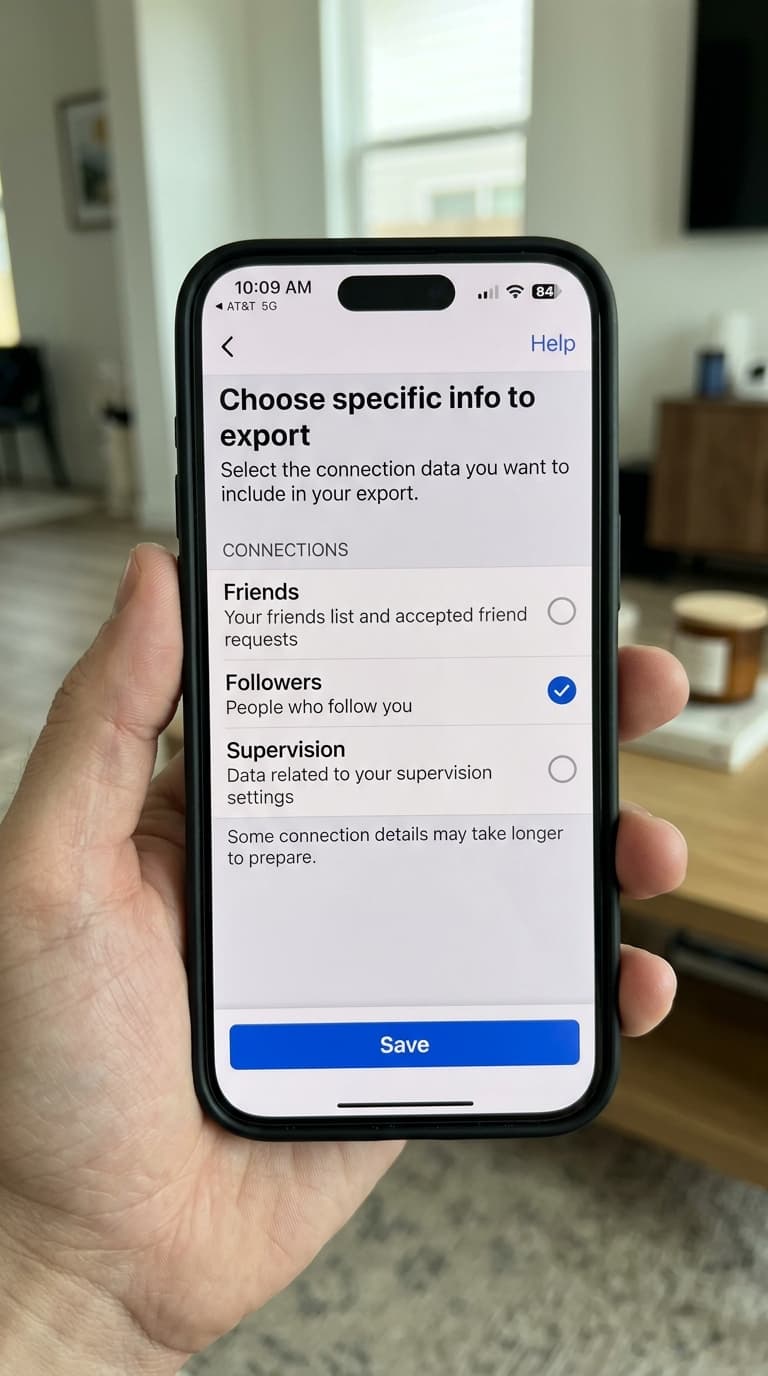
Select Followers connections
Tap 'Clear all' at the top to uncheck everything. Then scroll down to the 'Connections' section, check 'Followers', and tap the blue 'Save' button.
Change format to JSON
Tap the 'Format' row on the configuration screen, change it from HTML to JSON, and click Save.
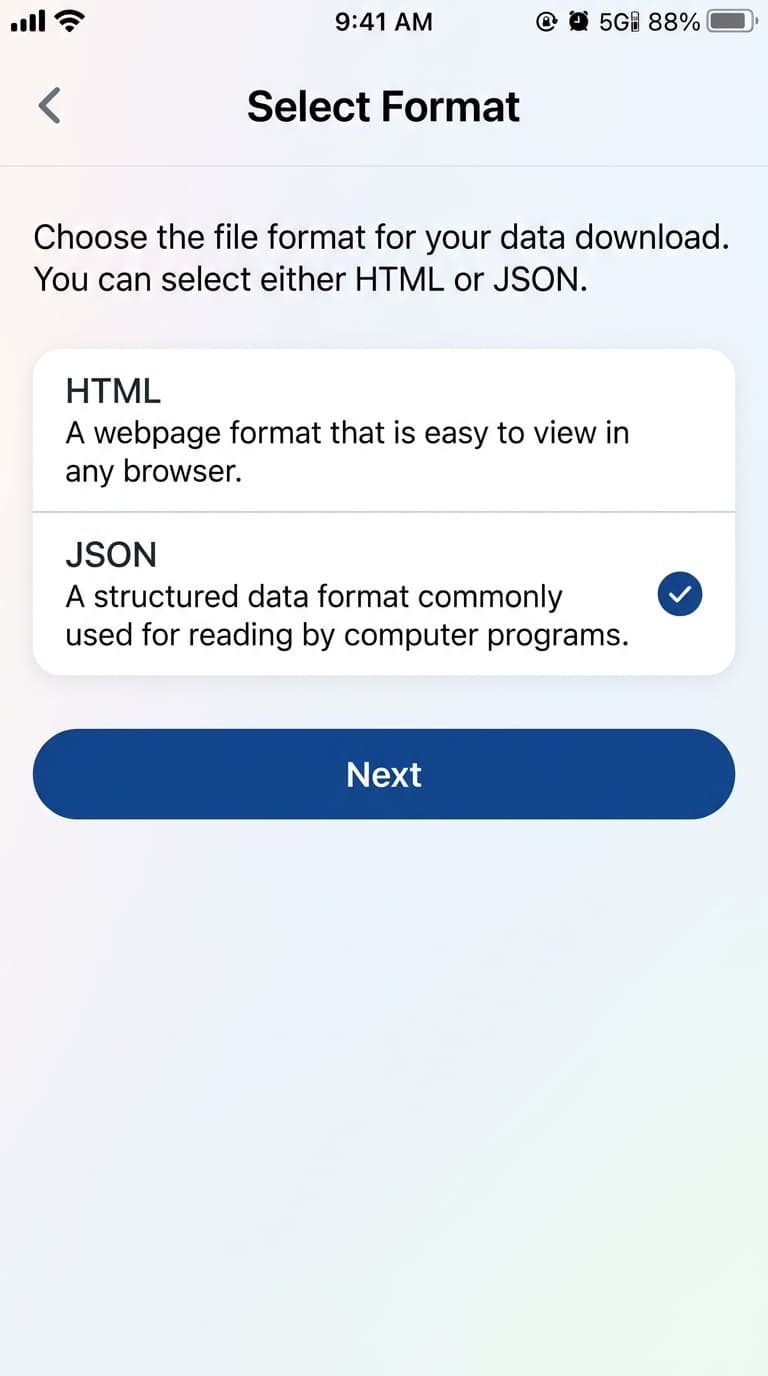
Configure date range & quality
Set the Date Range (e.g. 'Last year' or 'All time') and change Media Quality to Medium or Low to keep the download light.
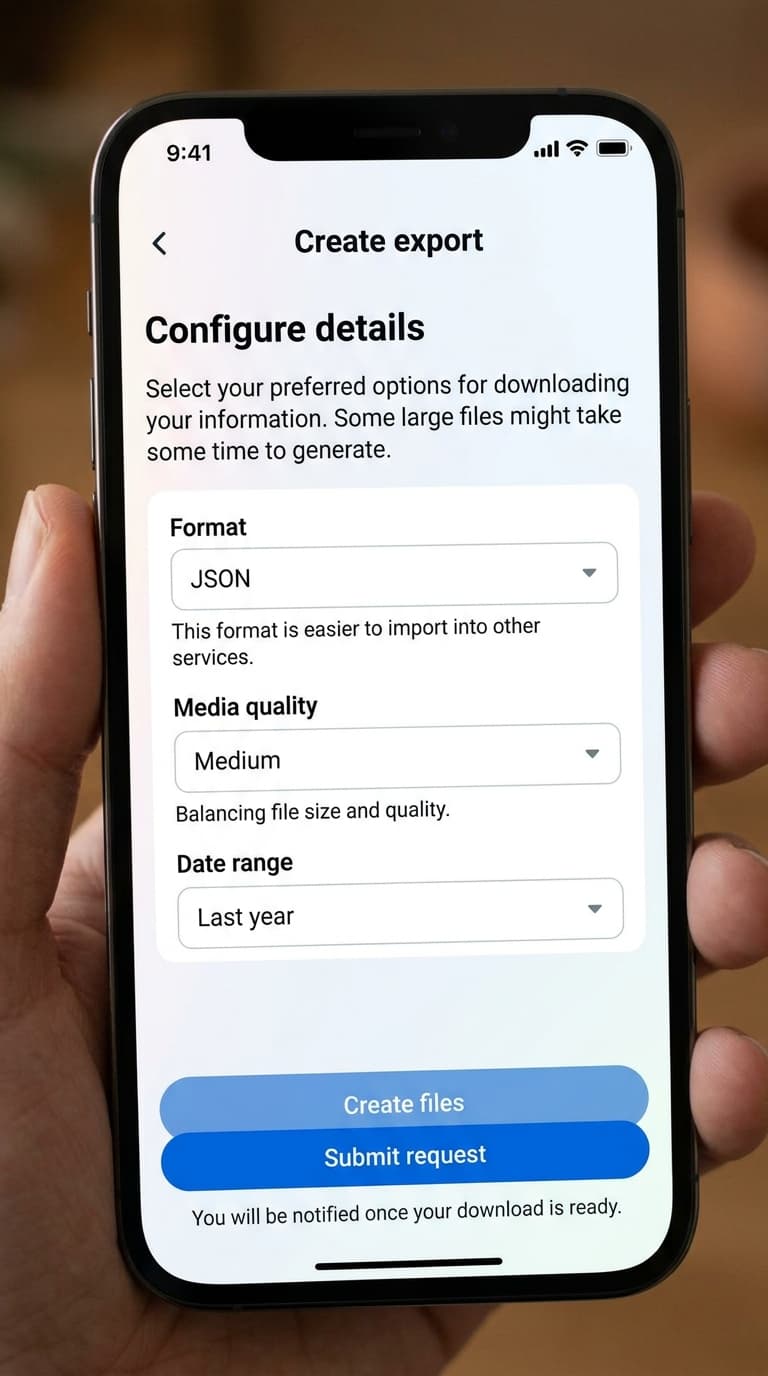
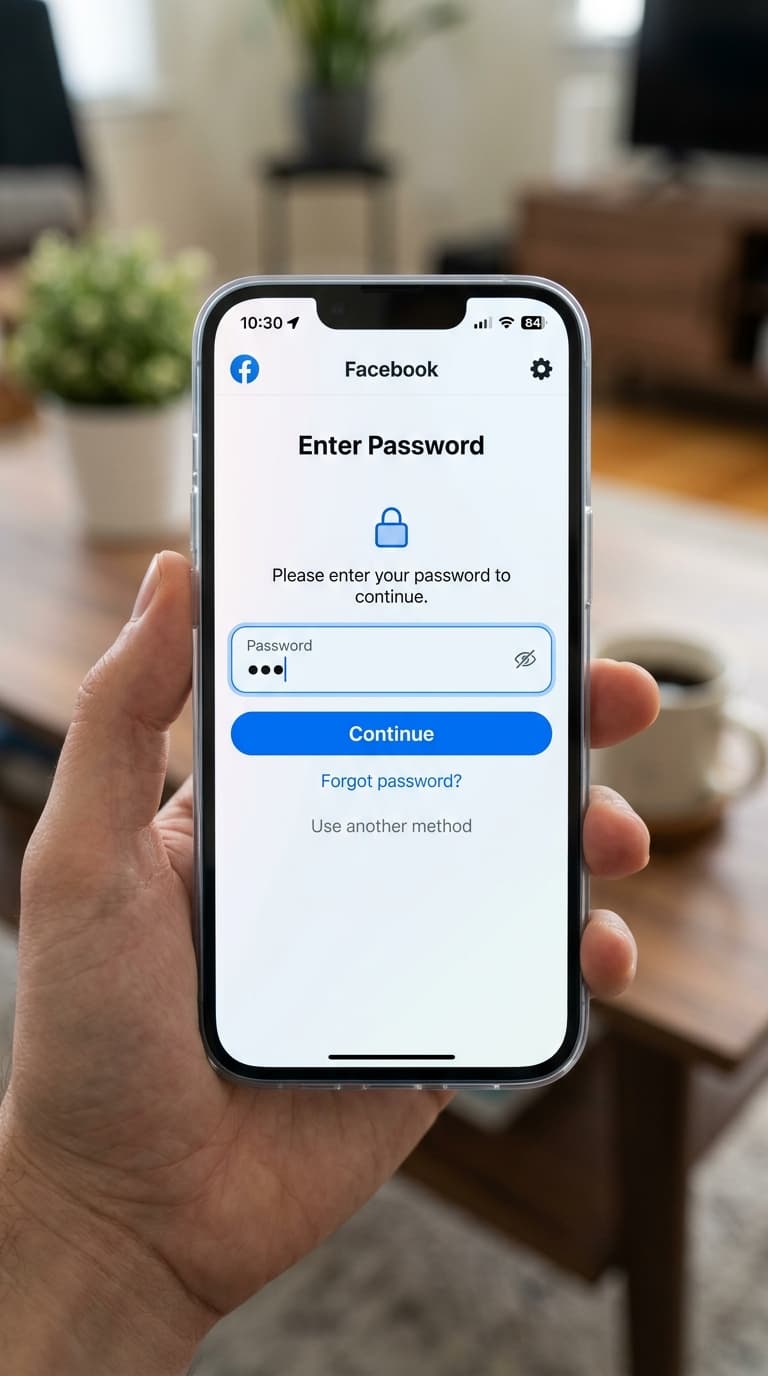
Start the export
Click the blue 'Start export' button at the bottom of the screen. For safety, Facebook may prompt you to re-enter your password.
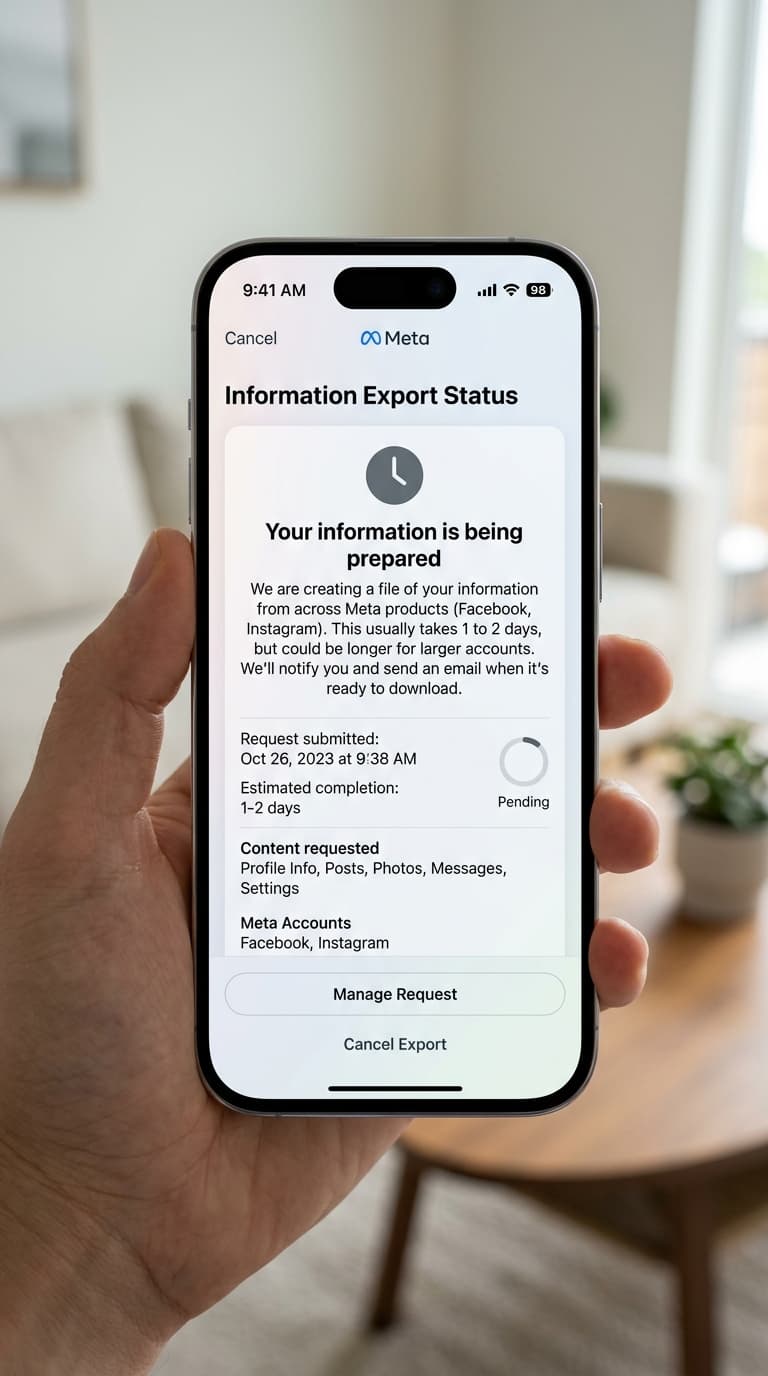
Wait for email notification
Facebook will compile the JSON data. This usually takes 10 to 30 minutes. You will receive an email once it is ready.
Download and extract
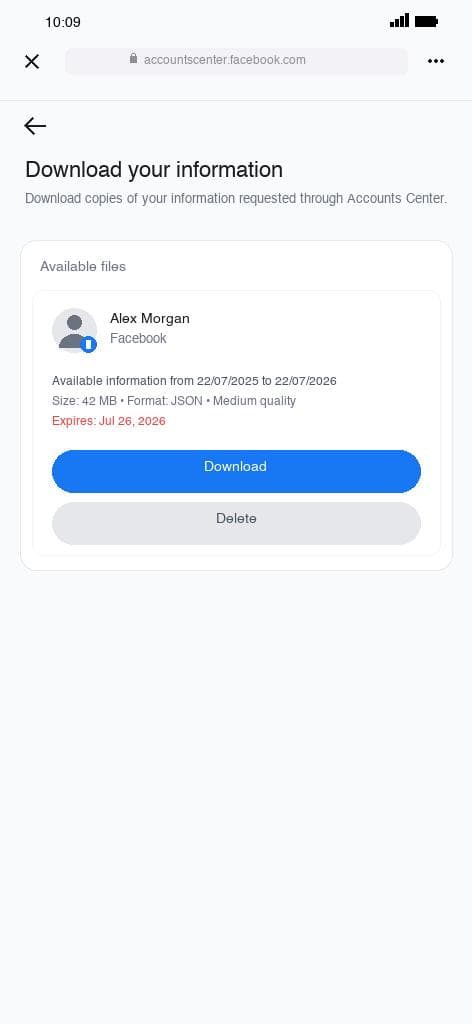
Return to 'Export your information', select 'Available files', click 'Download', extract the ZIP, and locate the followers and following JSON files.
Safety and Compliance Check
FollowPerks only imports standard followers and following lists generated through official Meta tools. We will never ask for your account password or prompt you to run automated scripts, extensions, or bots.
Frequently Asked Questions
Common questions about exporting Facebook followers data
The process uses the same Meta Accounts Center, but you select your Facebook profile and choose Facebook's specific 'Followers and following' category.
Yes. By using the official Facebook settings page, you never expose your password to third-party scrapers or plugins. Your credentials remain safe.
FollowPerks requires structured data to read and sync your lists. HTML files are designed for web browsers to render and cannot be easily parsed.
It typically takes 10 to 30 minutes, but Meta states it can take up to 24 hours depending on the size of your profile and server queues.
When you extract the downloaded ZIP file, look for a folder named 'followers_and_following' or check the main directory for JSON files containing your follower list.